Publishing data
After a data package has been archived in the vault, it can optionally be submitted for publication.
Publishing a data package has the following effects:
- A DOI will be assigned to the data package by Yoda. This persistent identifier can be used to refer to the data package, e.g. in a scientific publication.
- The metadata of the data package will be registered and published in DataCite.
- DataCite itself is harvested by numerous other websites such as Scopus, Google Scholar, Web of Science, etc.
- The dataset itself will stay in the Yoda Vault.
- Clicking on the DOI link will lead the visitor to a “landing page” on https://publications.yoda.vu.nl which shows the metadata for a particular dataset.
- If the Access Type metadata field is set to
Open - Freely retrievable, the data in the data package is downloadable from the landing page. - If the Access Type metadata field is set to
RestrictedorClosed, only the metadata will be shown. - By setting the Access Type to
Restrictedyou indicate a visitor can use the Contact link on the landing page to request access to the data. - By setting the Access Type to
Closedyou indicate the data are deposited in Yoda, but cannot be requested.
- If the Access Type metadata field is set to
- For all cases you need to supply a suitable licence that details the terms and conditions under which your data can or cannot be used. See this page for more information on suitable licences.
The VU Yoda repository page on DataCite Commons shows statistics of datasets currently published in VU Yoda.
How to: Submitting a dataset for publication
- Navigate to the data package in the vault and press the
Submit for publicationbutton.
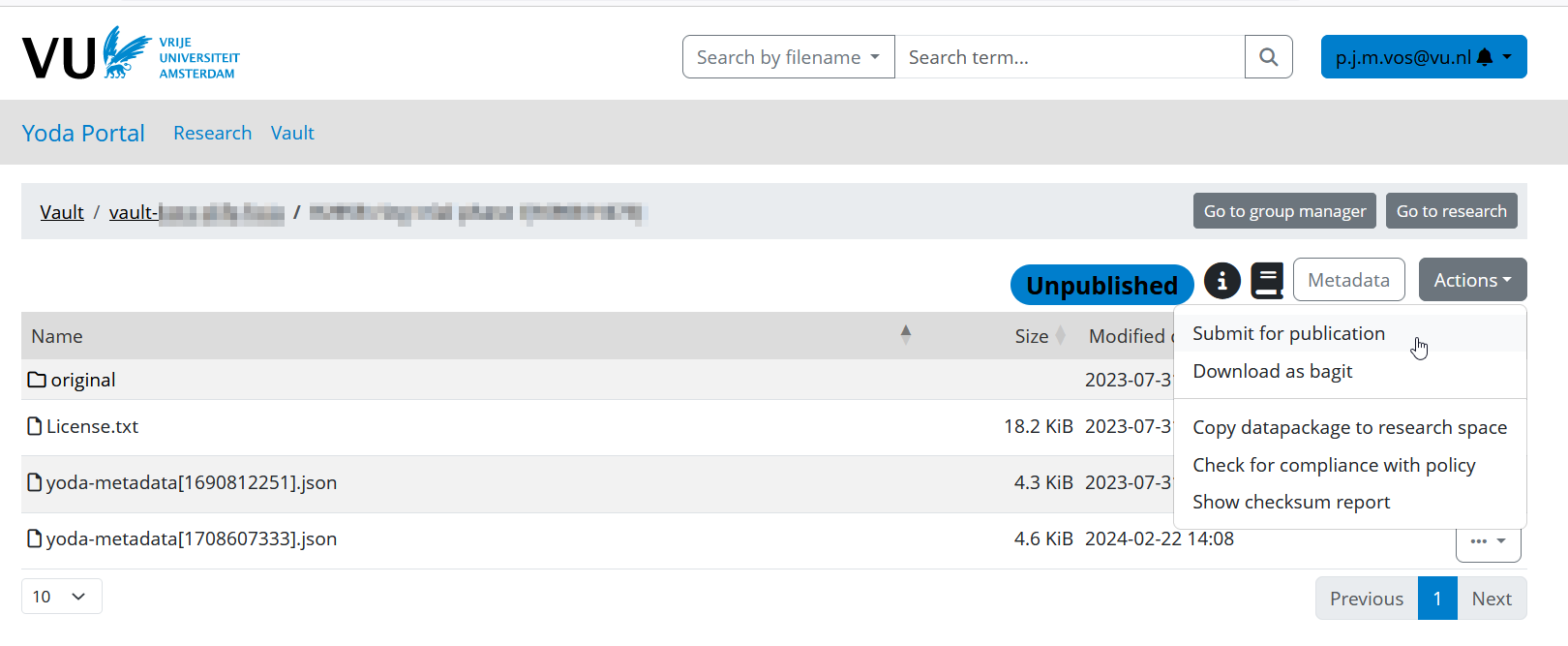
Once you’ve submitted a data package for publication, the data manager of your Yoda community will be notified. The data manager will check that the data package meets various criteria for publication.
If the data manager encounters any issues, you will be contacted. Otherwise you’ll receive a notification that your data package has been published. This notification contains the DOI that has been assigned to your data package.
Note: If needed a data manager can update metadata of a dataset after it has been published.
Long-term accessibility
Yoda ensures there is always a data manager assigned to a Vault who can access Restricted and Closed datasets even if the creators no longer have an account.
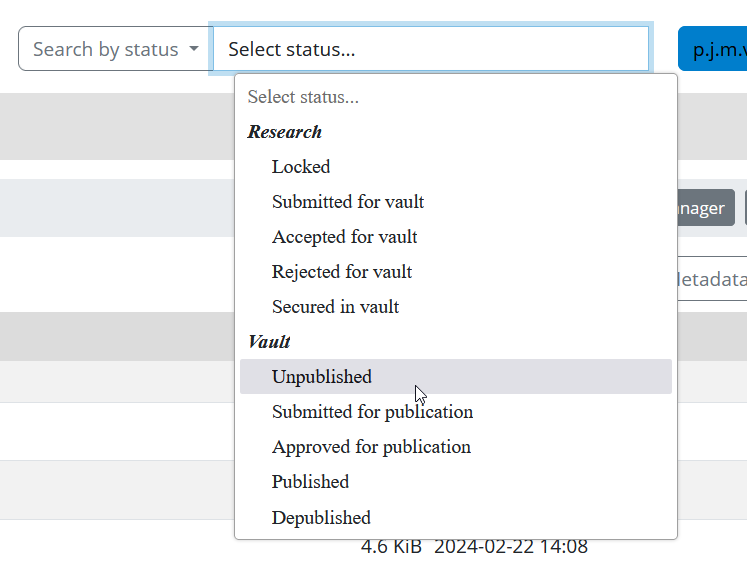
Searching for unpublished datasets
You can search for datasets that are archived but not (yet) published using the Search by Status function in the Yoda Portal. The list of data packages will include only the data packages of project groups of which you are a member. Click on a data package in the results list in order to view it.